Processing Data on CAPsMAN
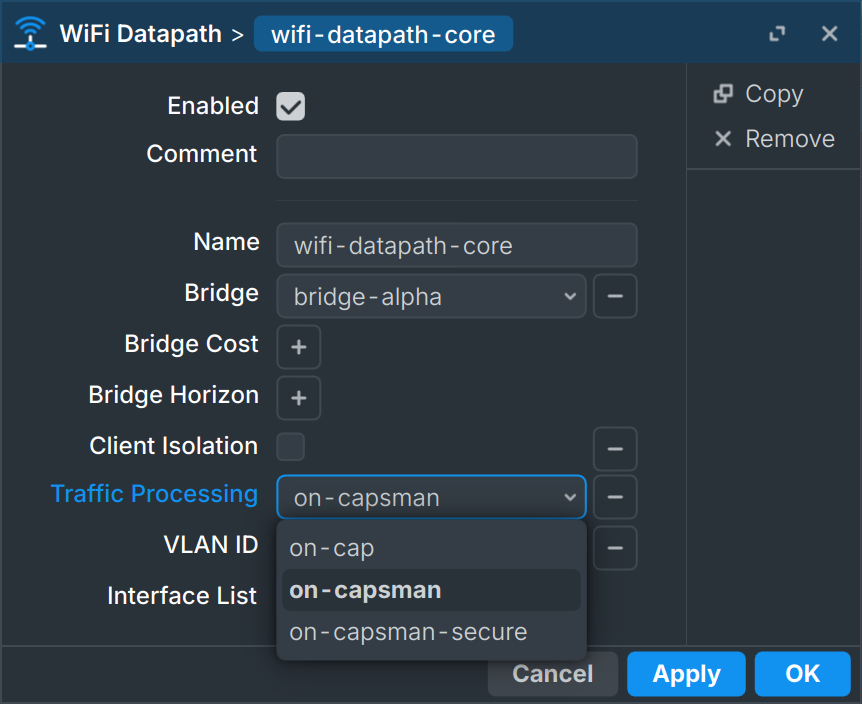
As I was going over changelog for Mikrotik’s RouterOS 7.21, I noticed the new functionality: “On CAPsMAN Data Processing”. Well, when I say new, it’s actually the functionality that was available on 6.x and earlier. However, with RouterOS 7.x it was gone. Since I used it, I did try to resist as long as I could but eventually I had to cry myself through RouterOS 7 upgrade.
But, let’s rewind a bit. What this feature actually allows? For this we need to understand how “normally” CAPsMAN on Mikrotik processed wireless traffic.
CAPsMAN is a way for Mikrotik to allow centralized control over multiple wireless devices. In my example, than meant controlleing two different access points from my (non-wireless) router. When doing so, you do essentially all configuration on router (CAPsMAN) and wireless devices (CAPs) get their configuration automatically updated to match. CAP devices essentially become just fancy wireless switches without much logic outside of (admittedly quite a few) customizations.
As switches, that means that anything on the same medium, i.e. wireless network, gets to communicate with each other. Of course, you can isolate users of networks but there is no real way to centrally allow some users to communicate with others or not. I am lying a bit here - you can always setup local firewall rules for stuff happening between networks but it gets annoying to keep config on multiple devices. I mean, CAPSman was there to centralize config, not to leave us in the same mess we were in before.
If you were willing to sacrifice some speed, RouterOS 6.x allowed you to redirect ALL wireless traffic to your CAPsMAN. This ensured your router sees each packet and thus you get to use firewall on your router. Even for devices connected on the same network on the same access-point. This made configuration really centralized.
But, those more familiar with enterprise setups might tell I am doing it wrong. And yes, this is not a feature for places where you want complete isolation and control. This is more of a control-light approach.
In enterprise networks, guest network will be completely isolated - usually using VLANs. And it should be. In my network, I will isolate guest network using firewall. And that is way less secure as you’re always one error away from complete mess. But, for home network where even guests are reasonably trusted, it is a small price to pay for flexibility. For example, allowing guests to access rest of home computers for the purpose of a local LAN game becomes trivial.
This is not a feature for professionals and strict environments. But it simplifies home network design a lot. And finally, RouterOS 7 line brings that feature back.