The History of Microsoft
For those who are interested in history of Microsoft, Channel 9 has some videos. At this moment they cover years 1975-1980, but they do update it weekly.
It is few minutes each so you will not waste much time. :)
Because some posts just refuse to be placed into a bucket
For those who are interested in history of Microsoft, Channel 9 has some videos. At this moment they cover years 1975-1980, but they do update it weekly.
It is few minutes each so you will not waste much time. :)
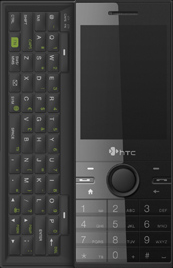
If you own Smartphone with dual keyboard (phone-like and QUERTY one), live in country that is not supported with T9 input, you may be annoyed that it cannot be disabled in threaded SMS view. Every other text box remembers whether it is disabled or enabled, but this one will not.
One thing that worked for me is Creating DWORD value named CarrierDefaultTextMode under HKEY_LOCAL_MACHINE\Software\Tegic\eT9\IME and giving it value of 0. This forces phone to ignore language settings and default to multi-press entry.
Also notice that, since we haven’t destroyed anything, you can switch to XT9 on per-message basic.
For editing you can use any registry editor out there, but do be careful.

For those wanting to bridge Starcraft gap between GOM TV’s Averatec-Intel Classic 2 and next one, there is special match. It is between Bisu (current champion) and Jaedong (season one champion).
Very exciting.
P.S. New season will start on march, 15th 2009 (may be changed “according to players’ status”).
[2009-03-23: It seems that “may be changed” part prevailed. Next season hasn’t started yet.] [2009-03-24: New season start date is 2009-03-29.]
I got my piece of action at next Windays conference. I will give presentation about Virtual disk support in Windows 7 during technology part of conference.
It cover news regarding support for virtual disks in Windows 7 (hopefully, RC will be out by then), booting inside them and programming API support from C# perspective.
After presentation, I will “leak” content here also.
[2010-08-12: It seems that perfect solution is found. Start reading article from bottom. :)]
I like Starcraft. Both playing and watching it. However, since I installed Windows 7, each time I run it, screen goes into weird color. Half of color palette just goes into cyan.
This is usually restricted to menus. Once game starts, everything looks fine (ok, water has artefacts too), but from time to time, whole game gets garbled. There is nothing to do other than exiting game.
I tried various settings on compatibility mode without real success. Setting compatibility mode to Windows XP (where game looks good) made things even worse since Starcraft started reporting that it cannot load a file (font\font.gid). Neither combination of settings got palette problem solved.
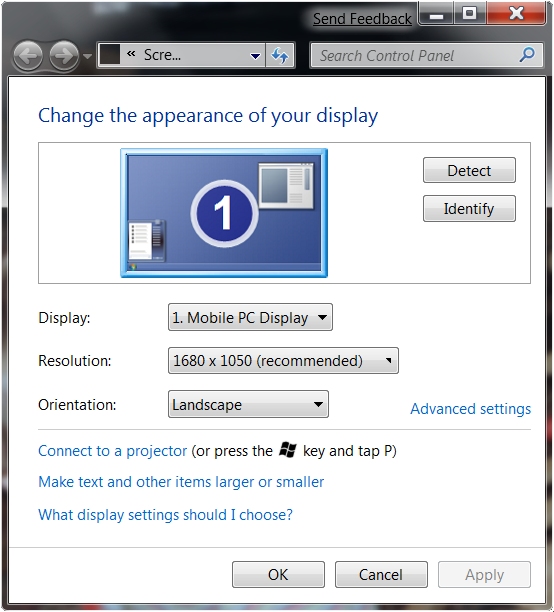
Unrelated googling threw me a solution. Just open Screen Resolution window and run Starcraft (with that window still open). Colors are as they should be.
I haven’t tested this on Vista yet, but if you have a same problem, it is worth a shot.
Why exactly this works - I have no idea.
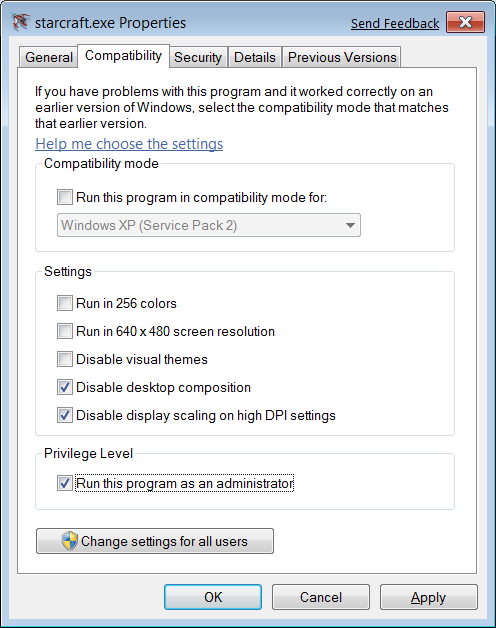
[2009-03-06: Notice that you still need some compatibility settings. Here are ones that work for me in Windows 7. Disabling display scaling enables me to have higher DPI (120%) and still use my map (otherwise, place I select on map isn’t place where I end up). Without disabling desktop composition, I cannot even switch to game and without administrative rights you may stumble upon some problems if you are running from Program Files folder (write forbidden for normal users). Checking other stuff didn’t make anything better, so I left it off.]
[2009-06-09: With Windows 7 RC, things got worse. Even with every checkbox selected, Windows 95 compatibility mode and resolution screen open, I cannot reproduce proper screen every time. Sometimes it works properly, sometimes you can get it to work by pressing Alt+Tab repeatedly, and sometimes it is best to exit and enter again.]
[2009-08-28: This workaround works for final version of Windows 7. It does not work every time but success ratio is well over 50%.]
[2010-08-12: One annonymous commenter suggested solution that includes registry changes. All I can say is that it really works. I did test it only on Windows 7 (64-bit version) and it works perfectly. I do hope that it works on other versions (Vista also). I took liberty of packing those two hacks into one zip file. Do leave comment if you find it working (or not) on other versions.]
[2017-04-19: With patch 1.18, issue is finally resolved.

If you want to use Google Sync to synchronize your mobile phone with Google’s address book and calendar, you will probably have problem with fact that upon synchronization, your mobile phone’s content will be deleted (both contacts and calendar items).
I personally use my mobile phone (HP iPAQ 514) as most up-to-date storage of contacts so I had a big problem with that. However, I decided to give Google Sync a try. In whole process it cheated a little in order to preserve all contacts (and calendar items).
Please notice that while this whole procedure worked fine for me, you may not be that lucky. Perform backup!
Step 1
First we need to copy pim.vol file from root directory of your mobile phone. This is place where most of your PIM data is stored. Before coping that file, you may want to turn off and on your mobile phone in order to flush all data in cache. This file is write-cached to enhance performance and to avoid wear-and-tear of underlying flash. Save that file to SD card - we will need it again later.
Step 2
Synchronize with Google Sync. Instructions are at Google’s site and I will not repeat it here.
Step 3
Once synchronization is done, you will notice that your contacts are gone and replaced with those defined at Google’s side. Now it is good time to turn off your phone, turn it on again, and copy pim.vol (one your stored in step 1) over pim.vol in root directory. If you get a message that file is in use, wait a little and try again. Once file is copied, turn off your phone and turn it on again. At this point, you should have all your contacts back.
If you synchronize now, all your contacts will get recognized as new and transferred to Google. From this point on, your phone is synchronized.
Well, GOM TV tournament is done for now. I will not say who won, but I will give you a link to first game. If you like Starcraft, you will like this final.
P.S. For those who like intense game play, here is one gem from the same tournament.
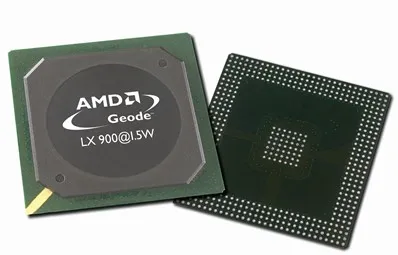
I am big fan of Geode processor. It is cheap, has low power requirements and heating is negligent. My home server is PC Engine’s ALIX1D board - you guess it - based on Geode.
That board is slow and it only has 256 MB of memory, but also requires no cooling (complete silence) and if you consider that all devices are connected over wireless, speed is good enough for file sharing which is its primary purpose anyhow.
However, market is wanting more powerful processors and Geode is going to history. They do say that they will produce it while there is need, but any company that still uses them will start searching for a replacement. The end is imminent.
Since only requirement for my server is low noise (passive cooling and 2.5" HD), I already see replacement - MSI WindBOX.
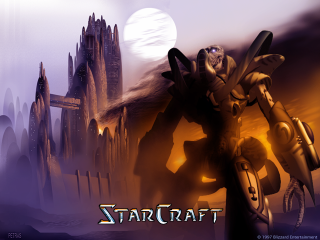
More than ten years into Starcraft’s existence, Blizzard still cares.
There is new patch available. This one is version 1.161 and solves some issues in order to make Starcraft better on modern machines.
It is very surprising to see vendor that still cares about old customers. More than nine millions of them.
I am of course speaking about Starcraft races. I am very lousy player with all of them so take this post as a advice to worst players out there.
Terran
Nice race with great defense possibilities. If you like turtleing they are great and once you reach 200/200 your army is most powerful thing there is.
Protoss
Really powerful race with great units for offensive play. Real problem is when you need to defend. There is not too much special abilities out there so there are not trouble to manage when you have a big army.
Zerg
Insects that reproduce really fast. Their abilities are something not seen in any other game so playing with them is a really good fun. Units tend to get very specialized in late game so you may have a problems with deducing proper ratio of them.
Which one do I use?
I haven’t decided yet. :)
Since all races are somewhat same (in regards with power, unit-wise they are totally different) once you get to know them, it all comes to personal preference. In that light, terran does not suit me - they are just too plain.
I played with zerg a lot and they definitely have nice air units but somehow I never use their special abilities to full extend so defence from terran army is a huge problem to me. Especially when terran goes around hunting my overlords and then attacking me with invisible wraiths. Although they are not meant for that, defense is (for me) much easier with them than attacking. But if you can attack early there is no force that can resist.
Protoss is my current favorite since it allows me great land and air army. Detectors are fragile as zerg’s but my economy is not hurting as much when I lose them. There are also invisible units there so harassing other players just comes naturally. With successful harassing, there comes a victory also.
[2010-02-15: I decided. I will be the Protoss. :)]